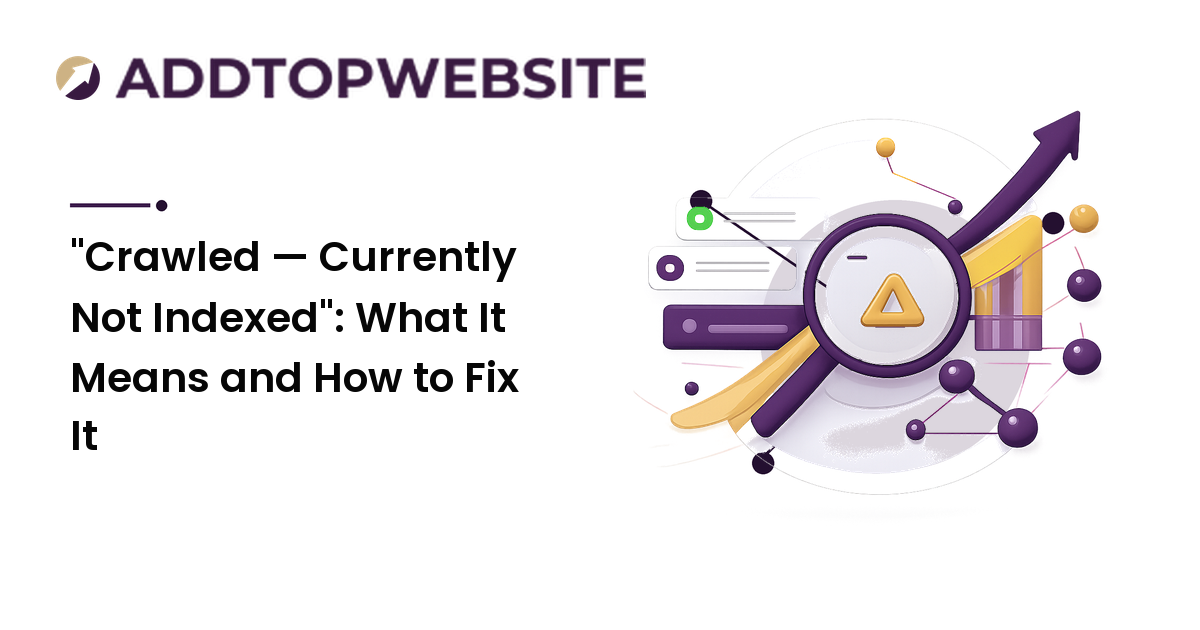
You open Google Search Console, click into the Page Indexing report, and find a status that reads like a quiet rejection: "Crawled — currently not indexed." Google found the page, read the page, and then decided not to add it to the index. No error, no block, no penalty — just a polite shrug.
The takeaway up front: this status is almost never a technical bug, and there is no button that forces indexing. It is a quality and priority judgment. Google crawled the page, weighed it against everything else competing for index space, and decided it wasn't worth storing yet. The fix is rarely a setting — it's giving Google a clearer reason to change its mind.
What the status actually means
"Crawled — currently not indexed" has a precise meaning, and the word currently is doing real work. It tells you three things at once:
- Google knows the URL exists — discovery already happened.
- Googlebot has fetched and read the page — the crawl already happened.
- Google chose not to index it for now — and may reconsider later, or may not.
This differs from its sibling, "Discovered — currently not indexed," which means Google knows the URL but hasn't crawled it yet — usually a sign it's deprioritizing your crawl budget. Crawled-not-indexed is one step further: the page was read and still didn't make the cut.
Neither status is an error in the way a noindex tag or a robots.txt block is. Those are explicit instructions; this is a discretionary decision — which is why it's both more frustrating and more fixable. You're not removing a blocker; you're winning an argument.
Why Google crawls a page and then skips indexing it
There's no single cause, but the reasons cluster into a short list. Most affected pages match one or more of these.
The content is thin, duplicate, or low-value
This is the most common reason by far. If the page has little unique substance, closely repeats another page on your site, or reads like one of a hundred templated variations, Google often decides indexing it adds nothing. Tag pages, thin category pages, boilerplate location pages, auto-generated listings, and pages that exist mainly to hold a link are classic offenders. Google would rather index one strong page than ten that overlap.
The page is effectively orphaned
A page with no internal links pointing to it sends a quiet signal: even the site owner doesn't think this matters. A URL that only appears in the sitemap, with nothing linking to it from your navigation or other content, is easy for Google to deprioritize.
Crawl budget, site quality, and newness
Google allocates rough crawl and index priority per site. If much of your site is thin or duplicate, the whole site's perceived quality drops and even decent pages get caught in the deprioritization — which is why improving or removing weak pages can help unrelated pages finally index. Newness compounds this: a brand-new domain gets less benefit of the doubt, so a page Google would index easily on an authoritative site can sit in limbo for days or weeks. On a new site the status is often temporary, resolving on its own as the page earns links and the domain builds trust.
The fix-it order that actually works
Don't change five things at once — you'll never know what worked. Go in this order, because it moves from cheapest and most likely to most involved.
-
Confirm it isn't genuinely blocked. Use the URL Inspection tool on the exact URL. If it instead reports
noindex, arobots.txtdisallow, a canonical pointing elsewhere, or a redirect, your problem isn't really "crawled-not-indexed" — it's a block, which is a different and more clear-cut fix. -
Judge the page honestly. Read it as a stranger would. Is it genuinely useful, distinct, and complete — or thin, templated, or a near-copy of another page? If it's weak, the honest fix is to make it substantially better or merge it into a stronger page, not to force-index something that deserved to be skipped.
-
Give it internal links. Link to the page from your navigation, a relevant pillar article, or related posts. This is one of the highest-leverage moves: it tells Google the page matters and gives crawlers fresh paths to it. Orphaned pages rarely escape this status alone.
-
Raise the surrounding quality. If many pages share this status, the issue is likely site-wide. Improve, consolidate, or remove thin and duplicate pages so the overall quality signal rises — fewer strong pages beat many weak ones.
-
Request indexing — then stop. In URL Inspection, click Request Indexing once. It nudges Google to recrawl, but it does not override a quality decision: if the page is still thin and orphaned, requesting won't save it. Repeatedly requesting the same unchanged URL does nothing.
-
Submit your sitemap and wait. Make sure the page is in your
/sitemap.xmland the sitemap is submitted in Search Console, then give it days to a few weeks for a recrawl and reassessment. The broader mechanics of crawling, sitemaps, and the coverage report are covered in our search engine indexing guide.
The throughline: you can't force Google to value a page, but you can make it more clearly worth valuing, then ask for a fresh look.
What not to do
A few instincts make things worse:
- Don't spam "Request Indexing." It won't override a quality judgment, and hammering it changes nothing.
- Don't bulk-submit the URL to indexing gimmicks. Pages stay unindexed because of value and priority, not because Google failed to find them — the page was already crawled, so a tool that merely re-submits the URL addresses a problem you don't have and leaves the real cause untouched.
FAQ
Does "Crawled — currently not indexed" mean my page is penalized?
No. It isn't a penalty or a manual action — it's a routine prioritization decision. Google read the page and chose not to index it for now, usually because the content looks thin, duplicate, low-priority, too new, or unlinked. There's no black mark on your site; you simply haven't given Google enough reason to index that page yet.
How is "Crawled" different from "Discovered — currently not indexed"?
"Discovered — currently not indexed" means Google knows the URL exists but hasn't crawled it yet, often because it's deprioritizing your crawl budget or doesn't think the page is worth fetching. "Crawled" is a step further: Google actually fetched and read the page and still didn't index it. Discovered points to crawl-priority and site-quality issues; crawled points more squarely at the page's own value.
How long should I wait before worrying?
For a new page or new site, give it a few weeks — this status is frequently temporary while the page earns links and trust. If a page stays unindexed well beyond that after you've made it genuinely useful, added internal links, and confirmed it isn't blocked, that's when to treat the content itself as the problem rather than waiting longer.
Will requesting indexing in Search Console force the page in?
No. Requesting indexing asks Google to recrawl sooner, but it doesn't override the quality and priority decision. If the page is still thin, duplicate, or orphaned, requesting won't get it indexed. Request once after you've improved the page and added internal links — that combination, not the request alone, is what changes the outcome.
Why are many of my pages showing this status at once?
That usually points to a site-wide quality or crawl-budget issue rather than a problem with any single page — often large numbers of thin, templated, or near-duplicate pages dragging down the overall quality signal. Consolidating or removing weak pages and strengthening internal linking often helps the rest, including pages you didn't touch, finally get indexed.
Next step
"Crawled — currently not indexed" isn't a wall, it's feedback. Open the Page Indexing report, find which pages carry this status, and confirm they're not actually blocked. Then make the honest call: improve the thin ones, link the orphaned ones, and raise the quality of the pages around them. Request indexing once, keep the page in a submitted sitemap, and give Google time to look again. You can't force a page into the index — but you can make it the obvious choice. Get your site submitted and set up to be found at addtopwebsite.com.